Using imagemagick to crop and resize 100+ photos
I've been trying to incorporate Spanish video games into my language studies! While I play some Pokémon Platinum (in Spanish), I take photos of dialogue that I should study, and later turn those photos into Anki flashcards. But I ran into an issue: too many big photos.
Lately, I've been playing Pokémon Platino, a Latin American Spanish patch for Pokémon Platinum on the DS.
The problem is that when I take photos with my phone, they're taken in:
- Excessively high resolution. My flashcards do not need Ultra HD photos.
- Portrait mode, which leads to wasted space on the top and bottom.
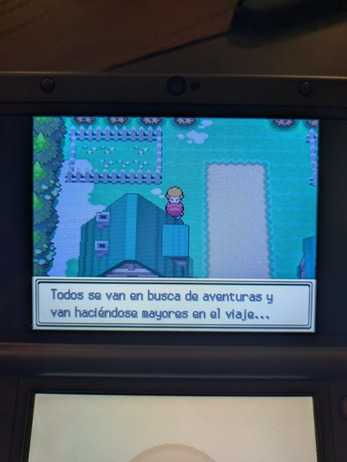
I'm taking hundreds of photos, so with these issues, I end up taking gigabytes of photos in a session. Especially for the sheer quantity of images, I couldn't find a reliable bulk image processor online. I'm definitely not going to manually crop every single picture, girl!
Luckily, I found a free, convenient, and offline solution to both of these problems!
Bulk cropping and resizing with imagemagick
imagemagick is like the ffmpeg of images. It's a popular photo processing command-line tool that offers bulk image cropping and resizing.
Since it's a CLI tool, it's super easy to write an imagemagick command into a reusable script! I make the flashcards on my Windows PC, so I opted for a Windows batch file (🤮). The script requires a single argument, which is a path pointing to a directory of images taken from my phone. magick.exe first crops the top and bottom out of the image, and then downsizes the result into a 400x300 resolution.
if "%1"=="" goto argerr

magick.exe mogrify -crop 3472x2601+0+950 -resize 400x300 %1\*.jpg
@echo Done!
goto :eof

:argerr
@echo Requires a path argument!
exit /B 1
Running the script to crop/resize all images in the new-photos folder looks like this:
> optimize.bat .\new-photos\
On average, I observed 4.50 MB images become roughly 100 KB! That's a 95% file size reduction!!